

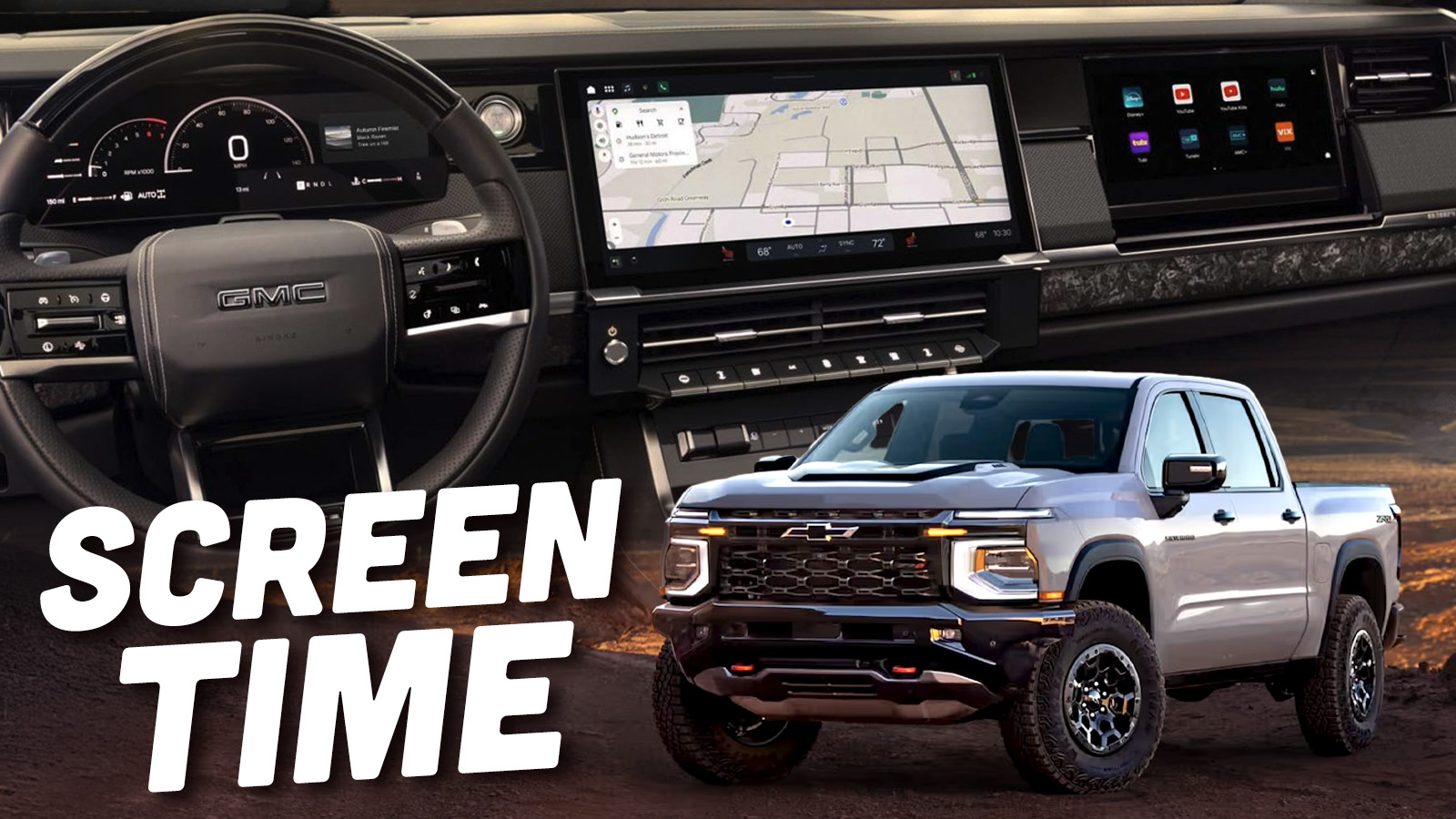
The Chevrolet Silverado and GMC Sierra light-duty pickups are both getting substantial redesigns for the 2027 model year. Apart from updated designs, the biggest changes are the adoption of new, larger-displacement sixth-generation small-block V8s and an all-new interior. GM has yet to share any specs on the engines besides the displacements, but they have given us an early look at the revamped user interface for the infotainment software in the trucks.
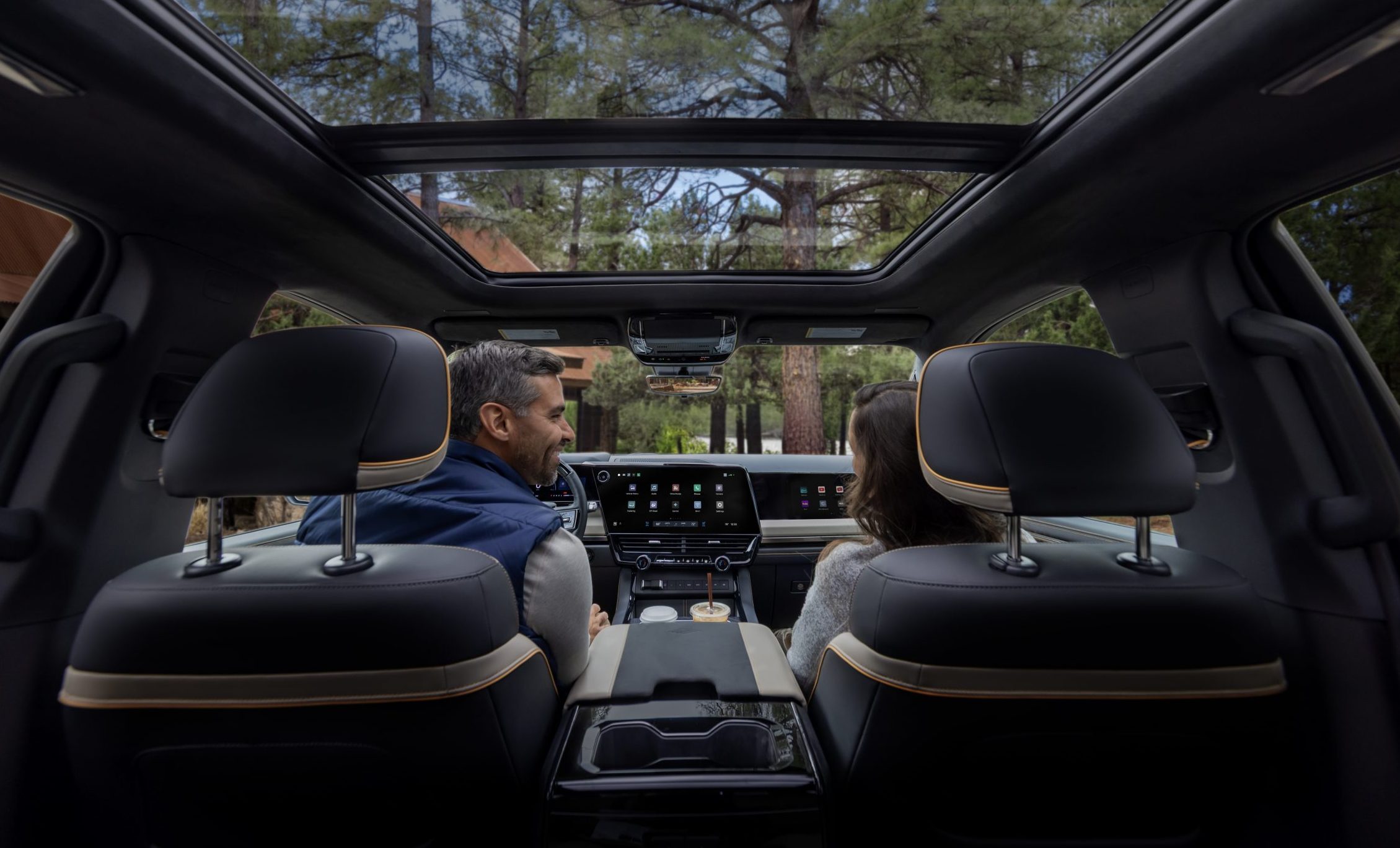
Since it is 2026, it should come as no surprise that both the Silverado and Sierra are getting even more screen than before, both in dimension and number. For the first time, GM is offering a passenger-side screen measuring 11.5 inches across the diagonal. Despite the fact that these third front screens are proliferating across the industry, the actual utility of the extra display remains questionable.


Since virtually everyone has a phone and many of us also have tablets and/or laptops – any of which can be used to watch videos or other content, I’m not sure why we need another display embedded into the dashboard. That said, the passenger display does have a filter on it that makes its contents invisible to the driver.

[Ed Note: Welcome back Sam Abuelsamid, one of the auto industry’s greatest writers/analysts. He tends to get into some nitty-gritty detail, which I like, even when that detail is about a user interface I will probably never own. -DT].
Since the competition has also gone to increasingly large screens, GM is no longer saddling its entry-level models with a diminutive 7-inch screen in the center stack. All of the new trucks get a 12.2-inch instrument cluster display and a 16.3-inch touchscreen as standard equipment, and all the displays are full-array local dimming (FALD) to optimize the contrast and visibility.
So What’s On The Screens?

Like most GM vehicles in recent years, the Sierra and Silverado are sticking with the Android Automotive operating system with Google Automotive Services (GAS). However, it’s 2026, so instead of the old Google Assistant that went along with Google Maps and the Play store, Gemini will now try to answer all of your verbal queries. Whether Gemini’s responses are any more accurate remains to be seen, but since it’s a generative AI model, we can’t rule out the occasional hallucination when you ask the system to navigate to a point of interest.
Despite some recent comments in interviews with CEO Mary Barra hinting that the removal of smartphone projection like Apple CarPlay and Android Auto would be extended beyond EVs, that hasn’t happened yet on the new trucks. Both phone interfaces remain in place for the foreseeable future.
So the core of the information on the center screen remains intact for 2027, but GM has put some thought into how that content is displayed. The basis remains a grid of icons for the array of functions. Across the top and bottom of the screen are rows of shortcuts and data that are always visible. At the top left is the home button, the app grid, and shortcuts to media, maps, and phone controls. Centered at the bottom are perpetual climate controls showing temperatures for each zone, where the air should flow, and seat heater switches. Most of the same functionality is also available through physical buttons below the screen. As before, you can also adjust the temperature through Gemini by saying “Hey Google.”

In the lower left are some other persistent controls, including a shortcut to all the settings and the touch switch for the lights, which many drivers I’ve talked to don’t particularly like, but at least it’s always there and you don’t have to go hunting for it. In addition to the persistent controls, other functions will pop up in that bottom row as needed. For example, GM has built in a garage door opener control that can be programmed to open your door. When you are in proximity to your driveway, that button will automatically appear so you can open your garage with a single tap and as you drive away, it also leaves the screen so it’s not cluttered with irrelevant controls.
The big chunk in between is where GM has started to make some changes. Jace Stokes, Staff Product Manager – UI, General Motors, explained, “We’ve done a lot of UX (user experience) research, and we’ve found that our users really like to live in the split screen view.” GM has had a split-screen view available on its Android systems since the beginning, with two panes divided roughly ⅓- ⅔.
But until now, the smaller pane has always been on the right, further away from the driver. Typically, when people use the split screen, the map is in the larger pane while the smaller pane holds something like the media playback controls. When you’re driving, you’re more likely to be interacting with the media controls to pause, go back, or skip forward. Having that on the far side of the screen makes it a longer reach, so GM has swapped the positions, putting the small pane on the left. It seems like a little detail, but it should definitely make the system a bit more usable.
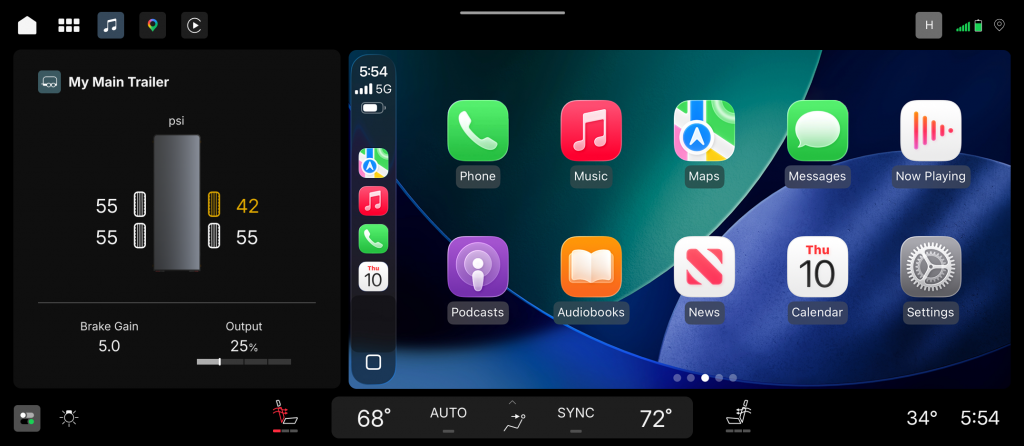
For those who choose to utilize CarPlay or Android Auto, that interface will show up in the larger split-screen pane to the right, leaving the left pane for your choice of native content that can include almost any vehicle data, such as trailer tire pressures and brake controller gain. The trailering information will pop up automatically on the screen as soon as you plug in a trailer. Whenever you tow, you should always check out the functionality of the trailer lights before you head out. GM is making that process easier, especially if you don’t have a friend who can press the brake pedal and activate the turn signals. They’ve integrated trailer light control with the vehicle’s mobile apps, allowing the lights to be triggered with a tap on your phone screen.
Along the top center of the screen is a horizontal line. Swiping down on the screen from that line opens up Quick Settings, similar to the control center on an iPhone. This gives you easy access to your most used settings, and just as on an Android phone, this can be customized with the settings you actually use.
When you get a call, it doesn’t take over the entire screen, instead shrinking to a call timer bar at the top of the screen while retaining access to maps and other content.
The Cluster
Last year, GM already launched updates for its hands-free Super Cruise driver assist; those updates make it easier to activate both adaptive cruise control and Super Cruise with just one button press. After the speed is set, as soon as the system detects you’re on a road where Super Cruise can be used, it will activate automatically and turn the light bar on the steering wheel green.
GM has updated the Super Cruise visualization in the cluster display similar to what is found on vehicles from Tesla and Hyundai Motor Group, among others. It now shows your vehicle and those in adjacent lanes as they move relative to your vehicle. This approach can help build confidence that the system is seeing what your own eyes are seeing.
Several years ago, GM was the first automaker to enable its hands-free system to work while towing, and that continues for 2027, although GM is no longer the only automaker to provide this function. Ford has just announced that the 2027 F-150 will have similar capability.

Even when Super Cruise isn’t active, hooking up the trailer control automatically switches the cluster display in addition to the previously mentioned card on the center screen. It shows a range of relevant information such as oil and transmission temperatures that you may want to monitor while towing.
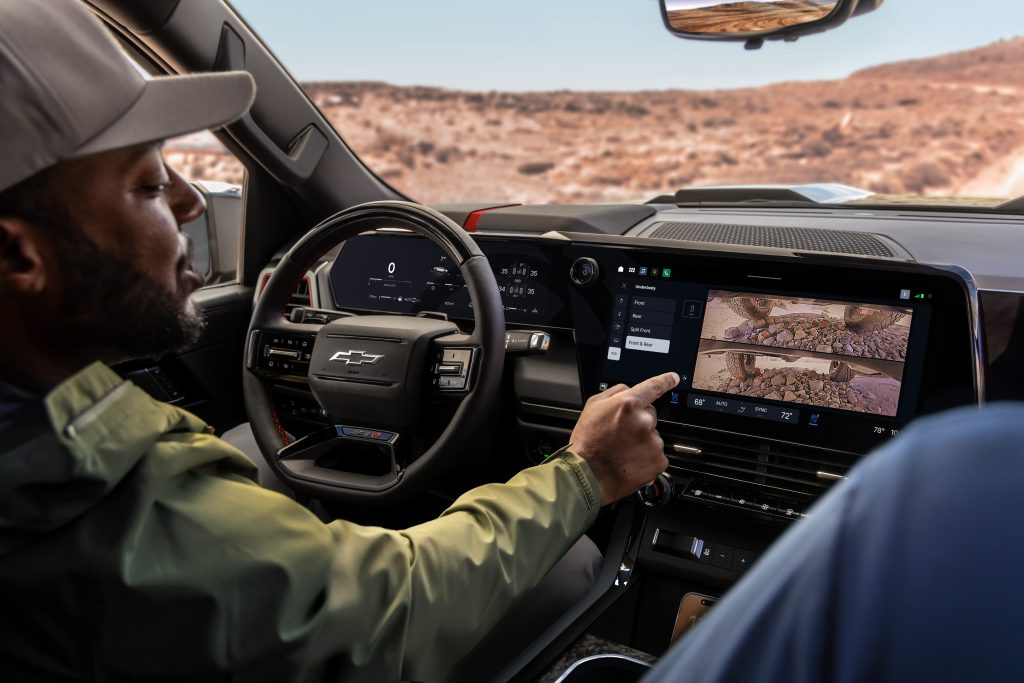
The trucks also have the usual array of cameras around the vehicle. There’s a specific camera view of the hitch, making it easier to get into position to connect a trailer. Underbody cameras on the off-road models like the Silverado ZR2 and Sierra AT4X give a view of what sort of terrain you’re traversing. None of that is necessarily new in the industry or even to GM (the electric trucks already have these cameras), but it makes sense to expand the availability. Engaging off-road driving modes also pulls up pitch and roll information, tire pressures, and transfer case status in the cluster.
Over On The Passenger Side

The list of available media apps in the Google Play Store for vehicles is growing, and all of those apps can be displayed on the passenger screen. That 11.5-inch display is fixed in place on the Chevrolet, while GMC has an articulating panel that covers the lower half of the screen when it’s not being used. Available apps that can run on the passenger screen include YouTube and YouTube Kids, AMC+, DirectTV, Disney+, Hulu, iHeartRadio, SiriusXM, Tubi, TuneIn, ViX, and more.
GM claims all of this will run faster and smoother than on prior iterations of the system. GM hasn’t confirmed what platform this is all running on. We’re guessing that the trucks have been upgraded to one of the newer Qualcomm Snapdragon cockpit system-on-chip designs, either the Gen 4 or Gen 5, both of which support the functions found in these trucks.
The UX design we’re seeing so far makes a lot of sense and should make it easier for drivers to use these systems. In general, GM’s software does seem to have gotten much more reliable since the dark days of late 2023 when it had to issue a stop sale on the Blazer EV, but we’ll have to wait until we actually get some extended time behind the wheel of the new Sierra and Silverado to really judge the quality. That should come sometime in the next few months.
Top graphic images: GM


Having formerly worked in the automotive display sector, Local-Dimming is a big shift that most people wont notice at first, but will appreciate.
If you’ve driven at night with an LED gauge-cluster and noticed it looked grey instead of black, its because the backlight is always on. With local-dimming, only the zones where content is displayed, gets lit up. This is a huge expense that will result in a much more premium looking product.
Previous lessee of a 2024 Blazer EV with the prior generation’s system. IT. FUCKING. SUCKED. BALLS. Slow, horrifyingly bad app integrations(Spotify NEVER synced up properly, if it worked at all), unpredictable button placement(the garage door opener mentioned in this article would literally move positions as I’d go to press it, from left of screen to bottom right, to left again, I just used my regular push button opener), and updates that killed the 12volt battery on more than one occasion.
Many, MANY complaints later, that cursed car was turned back in to GM and I vowed never to own another product with that system again. I’m also a lifelong Android user, so Google is deeply integrated into all the systems I used, which I thought would be a boon in a native Google based driver UX. Not the case in my situation.
Fuck that thing.
Thank you Sam for a well written and clear explanation of all the tech on the new GM Trucks.
I find it amazing that Everything offered as a “feature” has nothing to do with what the vehicle ought to do: Be dependable and reliable for at least 15 years after it is paid off. Dear automakers: All of tech is useless to me if the truck rusts out after 7 years, and the engine or transmission blow up or send me to a dealer for issues.
I realize that some of the tech is now mandated, which is another issue entirely (learn to drive without cameras people, and stay off your phones).
If an automaker wants my future business, try offering a vehicle that is reliable and simple. I’ll sign a waiver that it doesn’t lane keep for me or watch my blind spots. I certainly don’t need cameras underneath when offroad.
Oops! All screens.
GM has had ample time to see that nobody wants or cares about passenger screens, and they still came out with one.
So can GM put a screen on the front clip? That way I could design a more attractive frontal aspect for this vehicle. Seriously, why does Chevrolet seemed obsessed with making these trucks so, so ugly?
And to go with this comment, do these blacked-out fronts look like blackface in a minstrel show from a hundred years ago? They do to me. Clearly racist.
Did someone just order way too many screens and needs to pretend it’s on purpose?
Can these infotainment systems be hacked so’s to send these gross conveyances into concrete barriers at high speed? Asking for a friend.
They are probably running some kind of Android OS, so you can probably hack them easily if you have physical access.
Somewhere, a Ram truck designer is chuckling at the thought that GM is about to learn the same lesson they did about passenger screens.
No thanks. My 2026 Silverado is a truck, not some luxury vehicle. The current basic interior is quite comfortable for long drives and I’ve never once found myself wishing the 7″ screen was bigger.
When’s the story on how the new trucks aren’t coming with actual dipsticks? Cause that’s definitely gonna RILE THE COMMENT SECTION up.
Did BMW make a truck?
Oof, as a current GM owner I’m not a fan of this. The GMC interior is ugly, and replacing the upper glove box with a screen is a huge downgrade.
I also don’t particularly like the new UI layout. It wastes a ton of vertical space compared to the previous design where the section buttons were along the left side. I get putting the buttons at the bottom if you have a more portrait style screen like Ford and Ram, but in a wide landscape design like GM uses it just results in a massive amount of black bar at the bottom of the screen.
Also, one of my favorite features on GM vehicles was the temp select knobs with the set temperature displayed on the knob. Looks like that got cost-cut in favor of putting it on the screen. Boo.
I guess this is what happens when you fire a bunch of your software people and (probably) replace them with AI.
I don’t like this. The thing I interact with the most while driving is generally the map, which I look at frequently. I’d much rather have that in the large pane, close to me. If I’m messing with media controls, I just pull them up briefly on the main pane, which is better than trying to use them on a tiny 5 inch square section of screen, regardless of where it is.
In fact, after reasoning through this, I’m going to escalate and say I hate it.
This is not a big deal. They’ve had trailer light testing for a while. It sounds like the only new thing is app integration, which, meh.
About the only positive thing I see here is it looks like they got rid of a bunch of piano black and chrome that reflects sun in my eyes in my current truck. A little vinyl wrap can fix that though. The problems with this new interior are not so simple to fix.